I have been seeking a Innoventions RamCheck for a while.. One Popped up on the Feebay!! price was right so I snagged it.

I did the Unboxing and tests on a Live Stream.
Teardown Photos…
Top Cover Removed (The First board is a DIMM Board its Marked Ramcheck / Ramcheck LX INN-8668-DB PCB-DF-899 VER. G
The ISP Header on the Right side I will map it out.

Update:10-25-2026 This DMM Board Has Logic that Tells the firmware if DDR2 Capable or Needs an Upgrade most likely in the XC9572XL U14 CPLD almost guaranteed to be locked. There is also a 24WC08 U18 on the DIMM Board I have not backed it up yet maybe the ID is in the EEPROM we can hope.
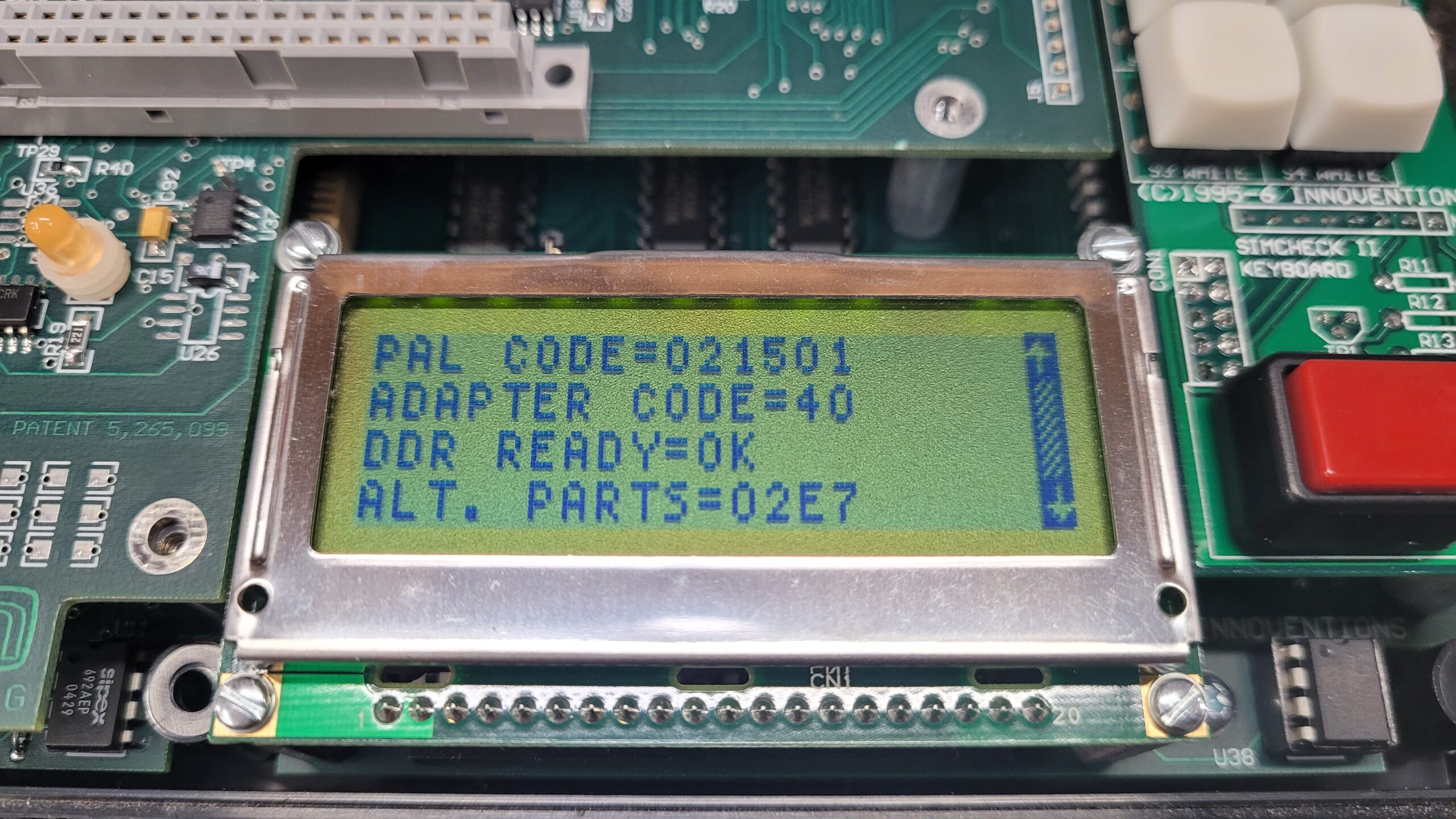
This Ramcheck DDR READY=OK
My Other RAM Check DDR READY=130112 UPGRADE NEEDED!
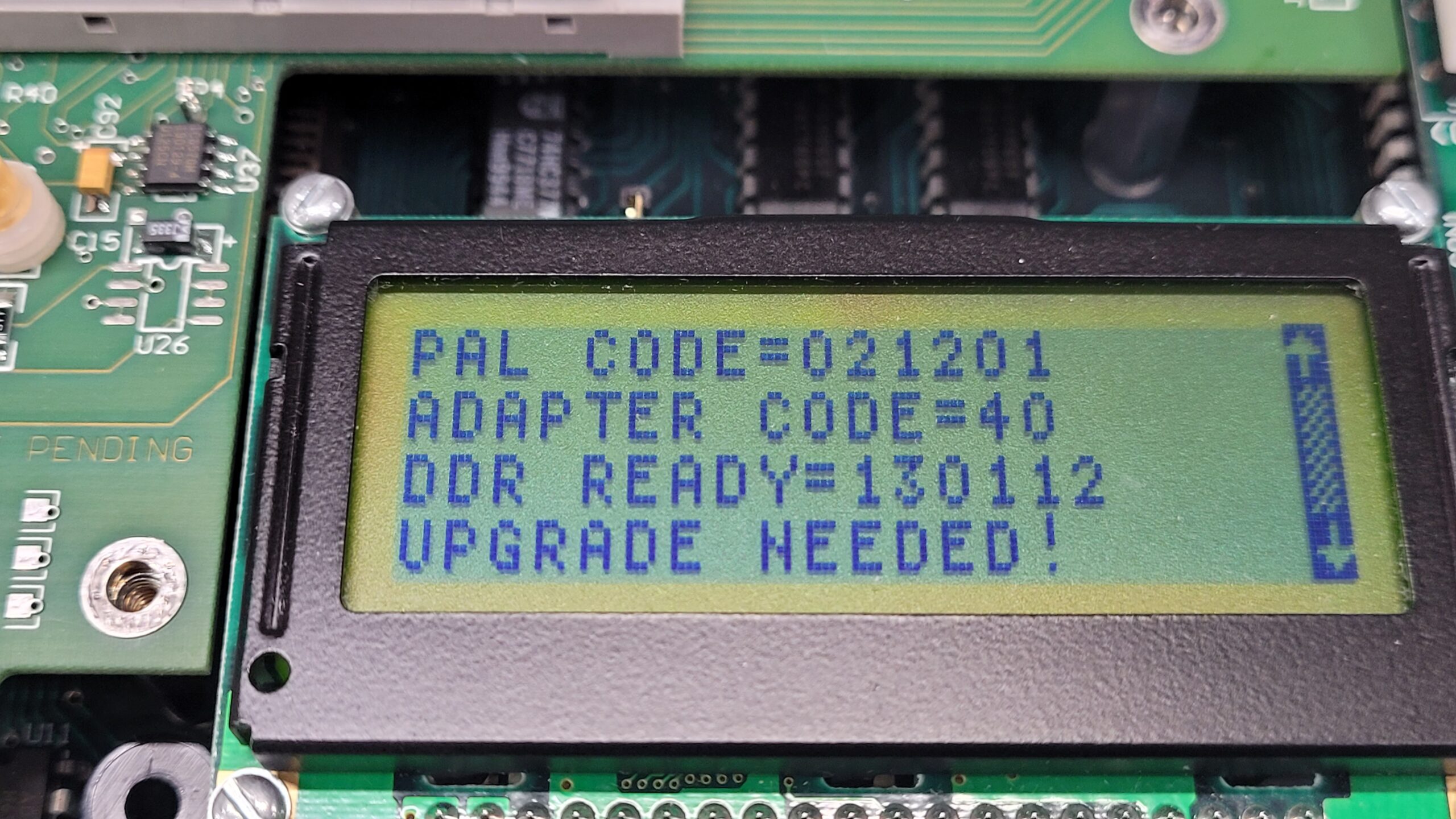
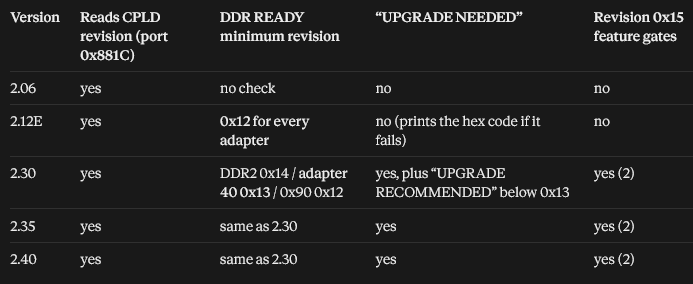
This Upgrade message Follows the DIMM Baord if it is swapped to the other Ramcheck. I have to think this is for DDR2 Support! Examining the firmware this message appears with the introduction of DDR2 support FW V2.30 As soon as I find a DDR2 Adapter I will test it out.
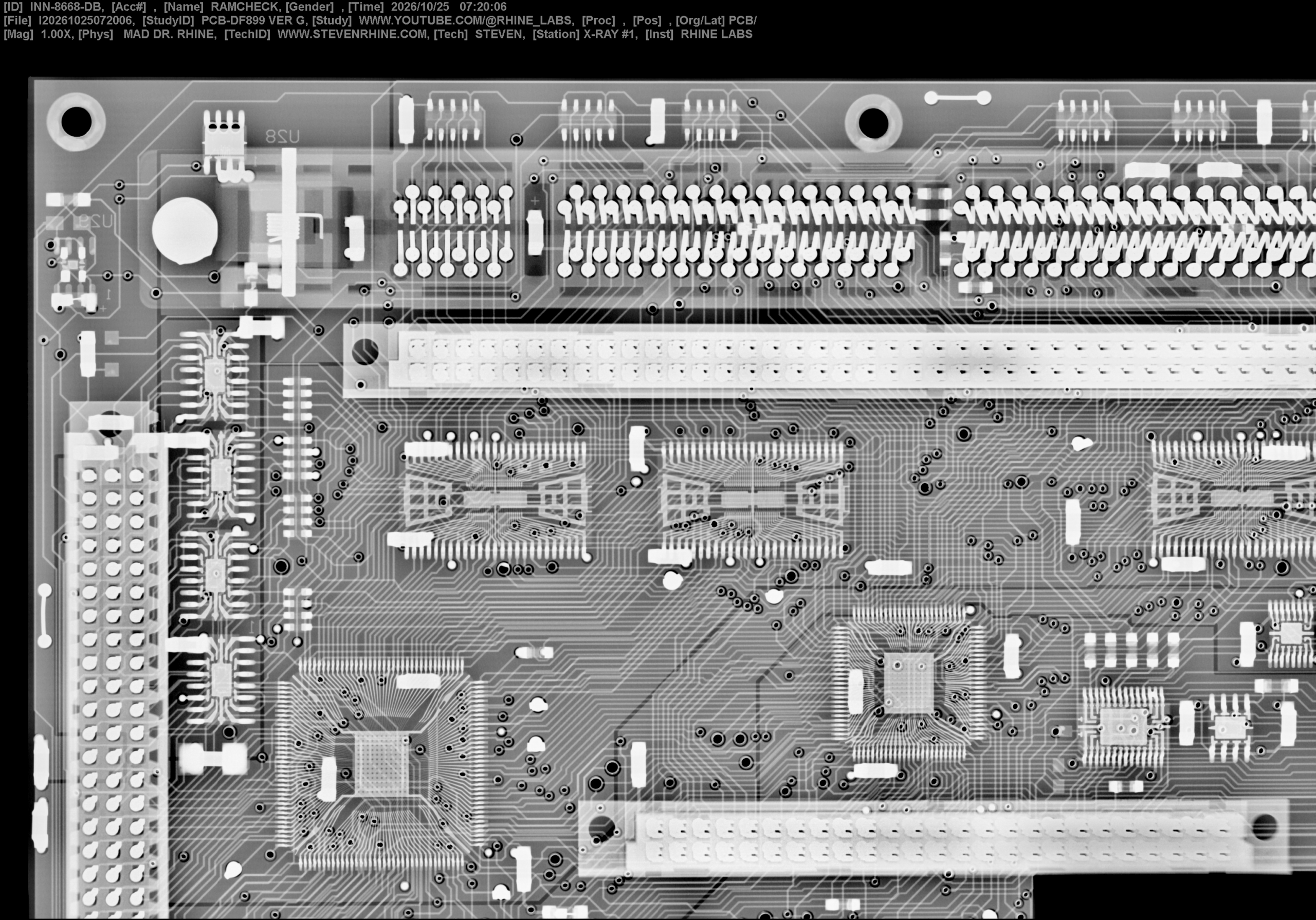
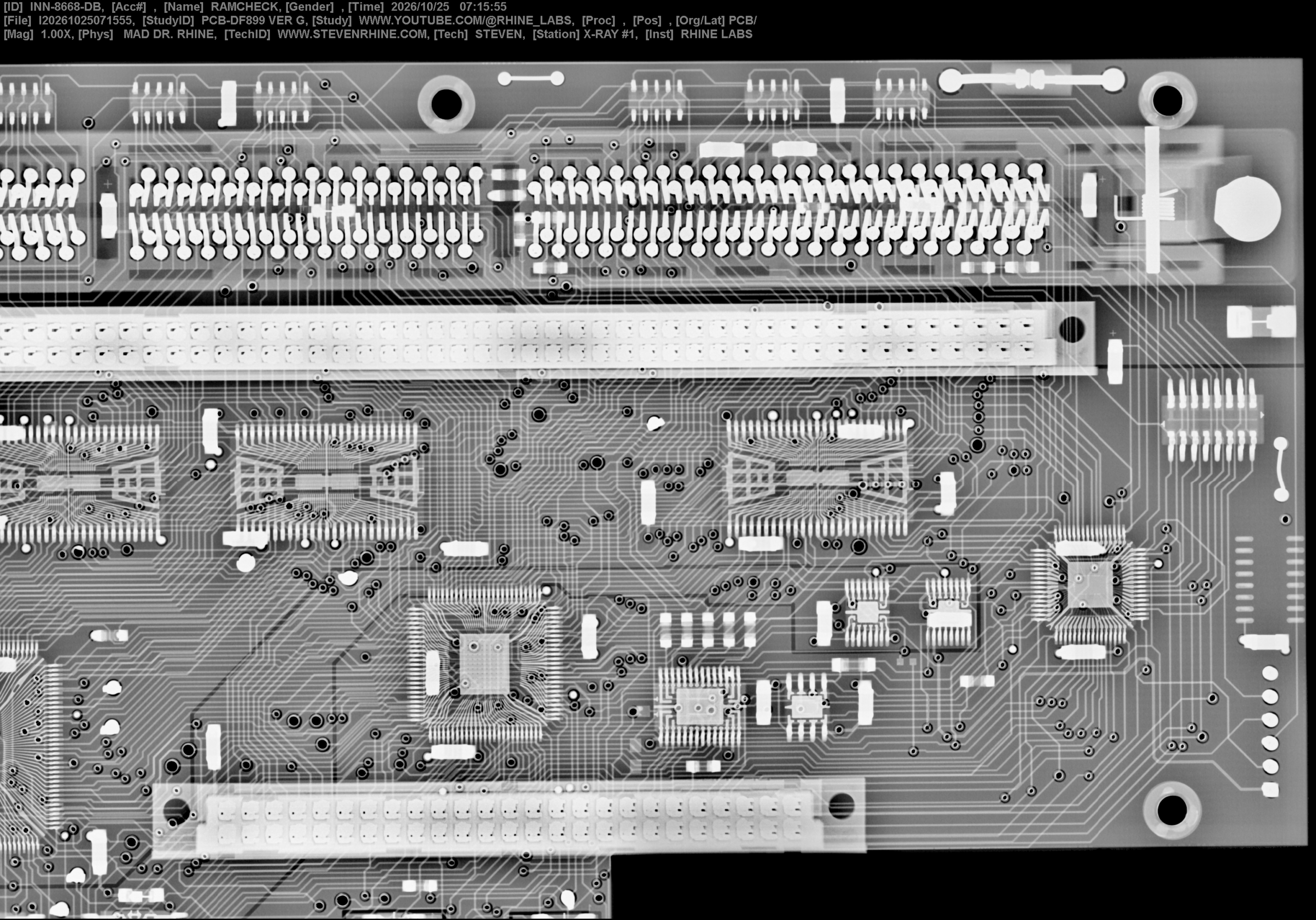
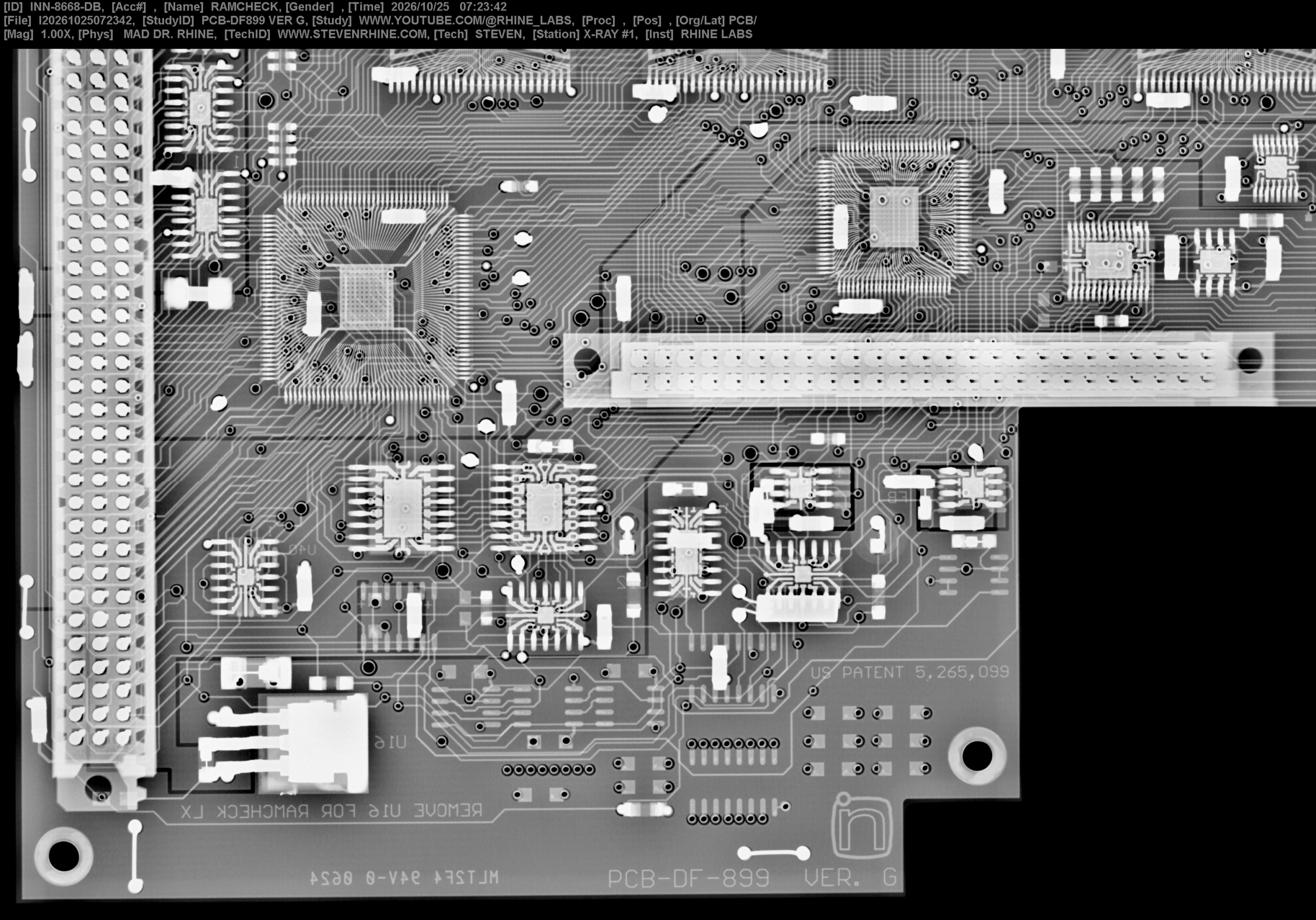
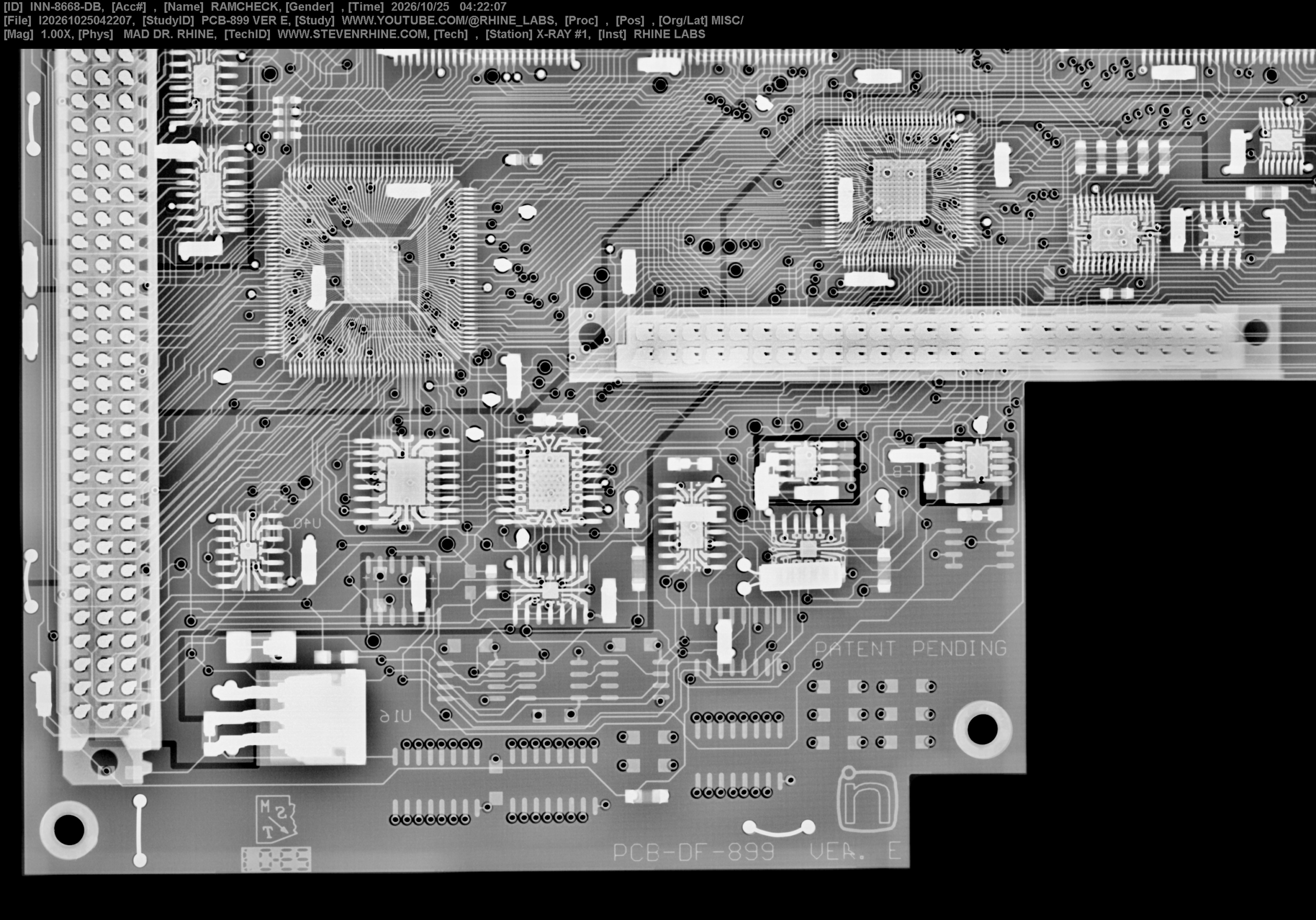
X-Ray images of the Dimm Board INN-8668-DB PCB-DF-899 VER. G I had to take this in 3 Shots due to small sensor size if someone wishes to stitch them together have at it. (Taken 10-25-2026)
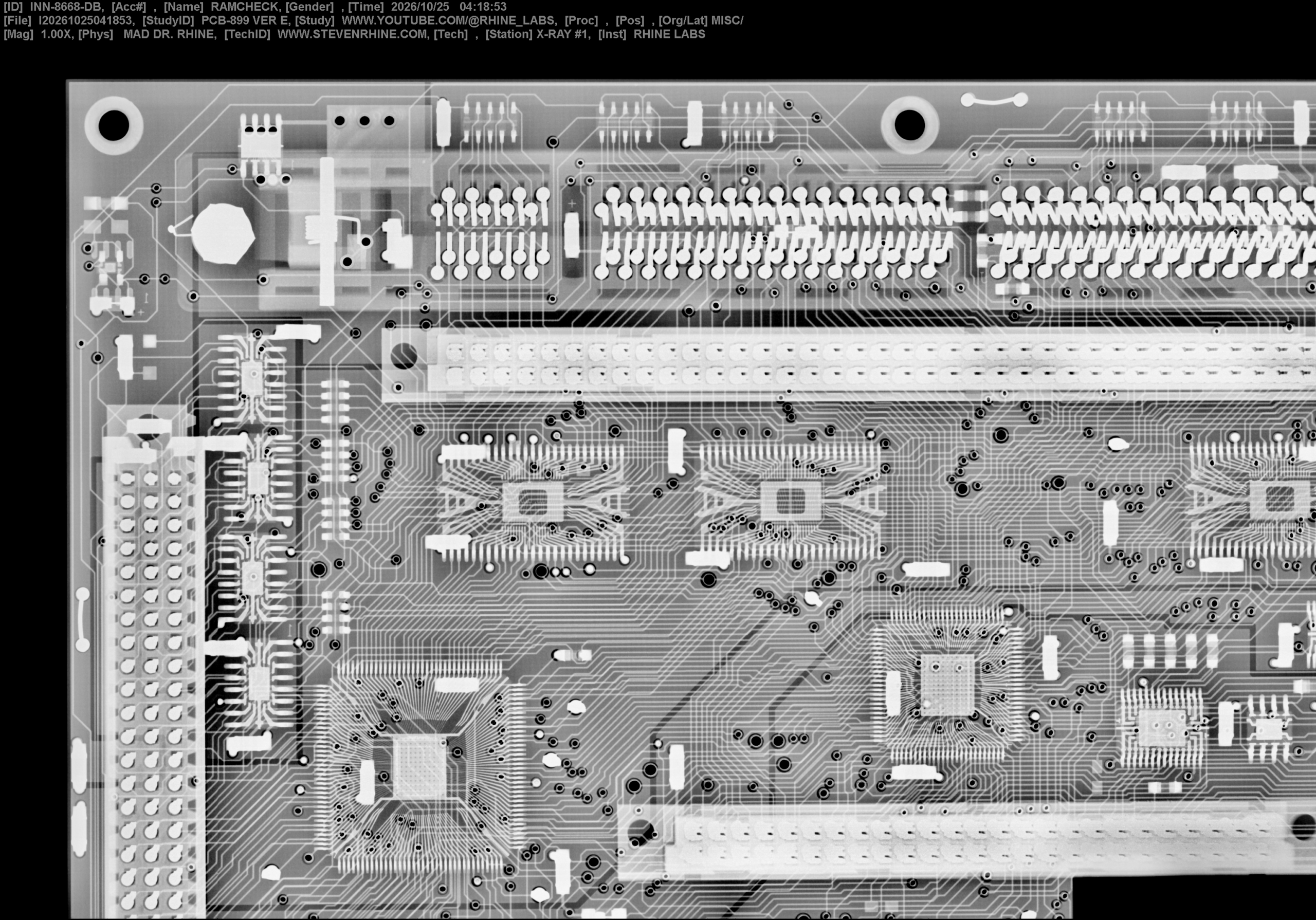
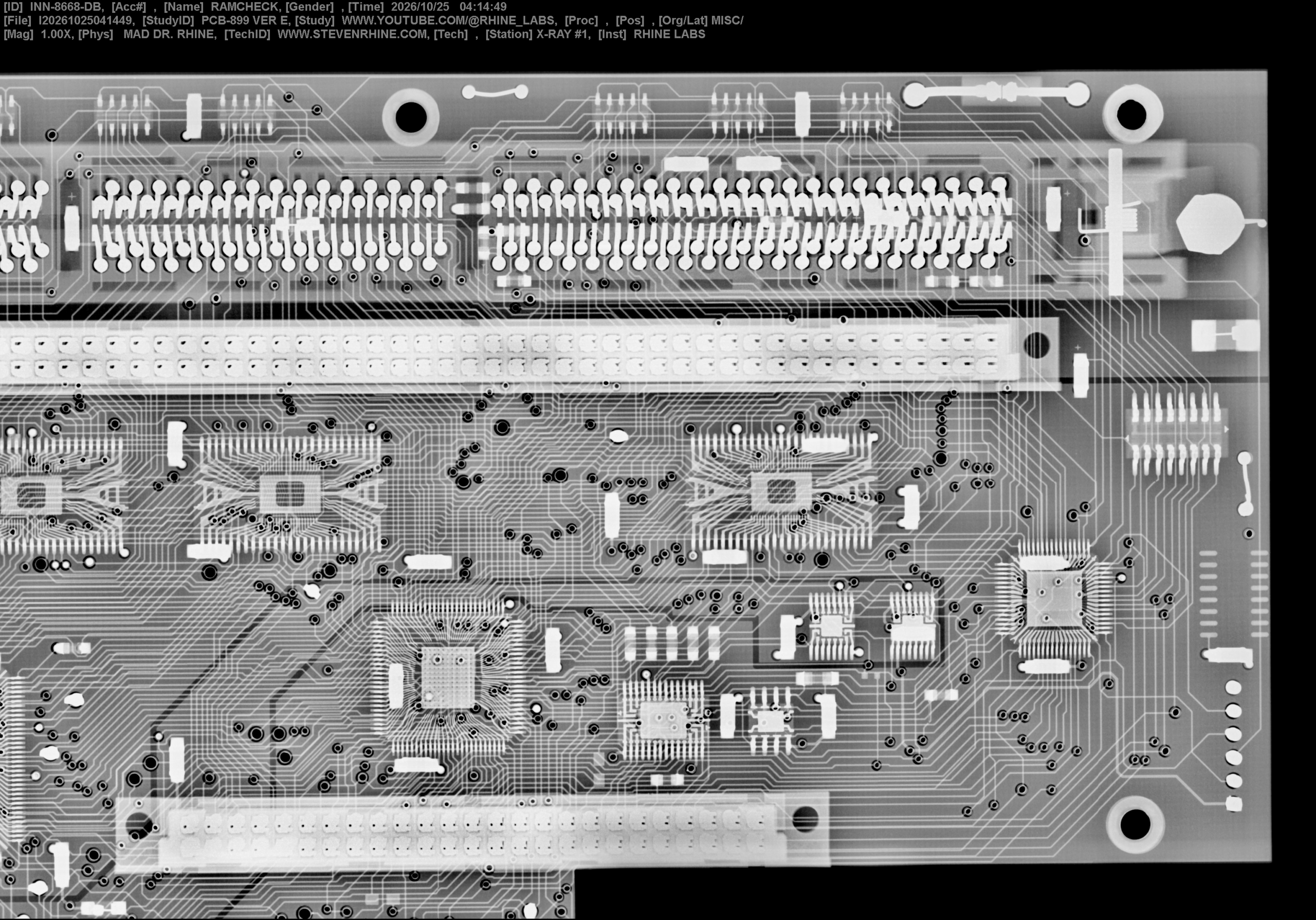
X-Ray images of the RamCheck Dimm Board INN-8668-DB PCB-DF-899 VER. E
With the Dimm Board Removed Reveals the Processor Board (I will not be X-raying board this will not fit in my chamber)

The Chip With White Sticker Marked RCPAL2 at U17 it is a PAL 18CV8P (Update 09-24-2026 this pal chip is locked)
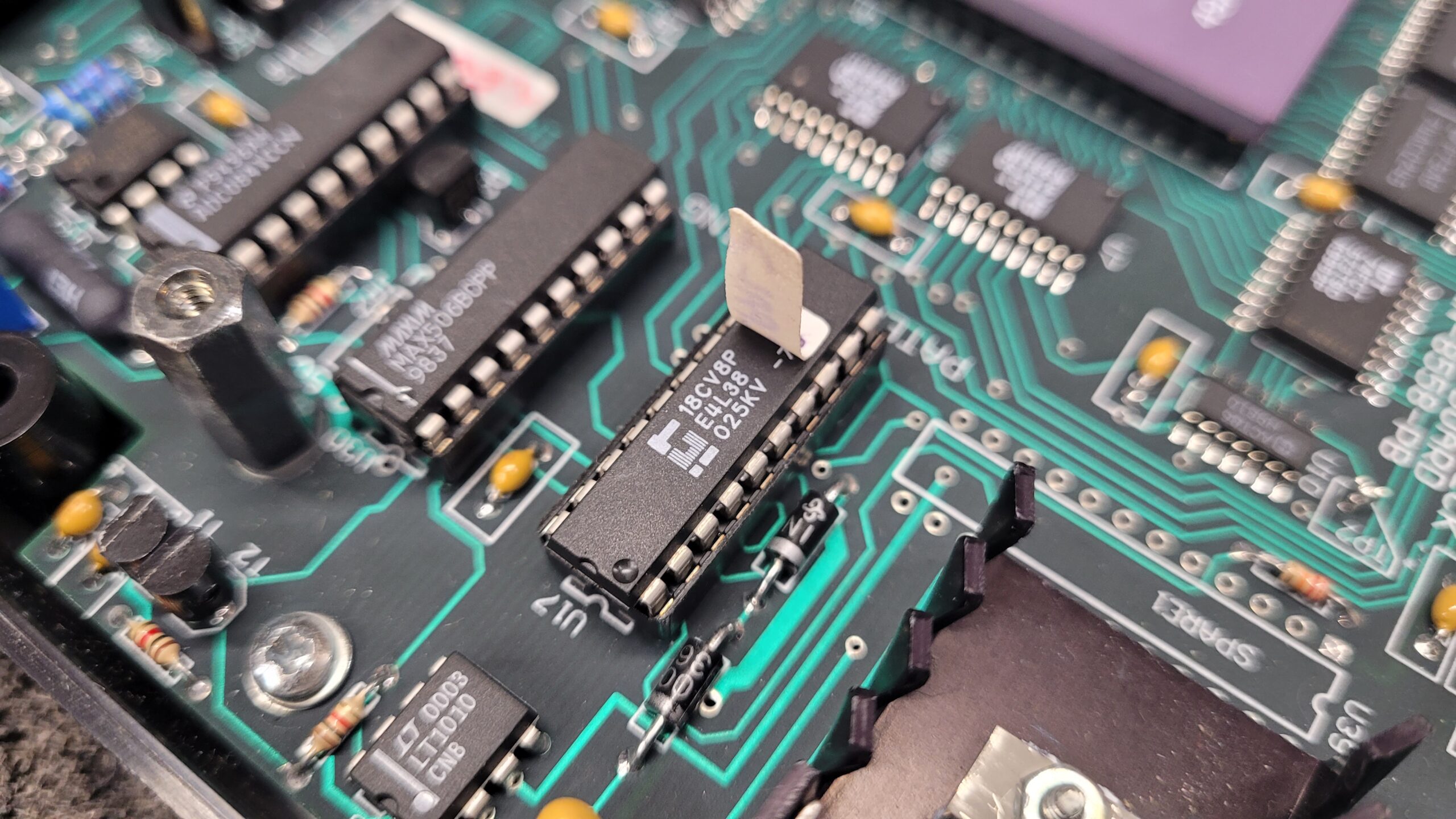
10/25/2026
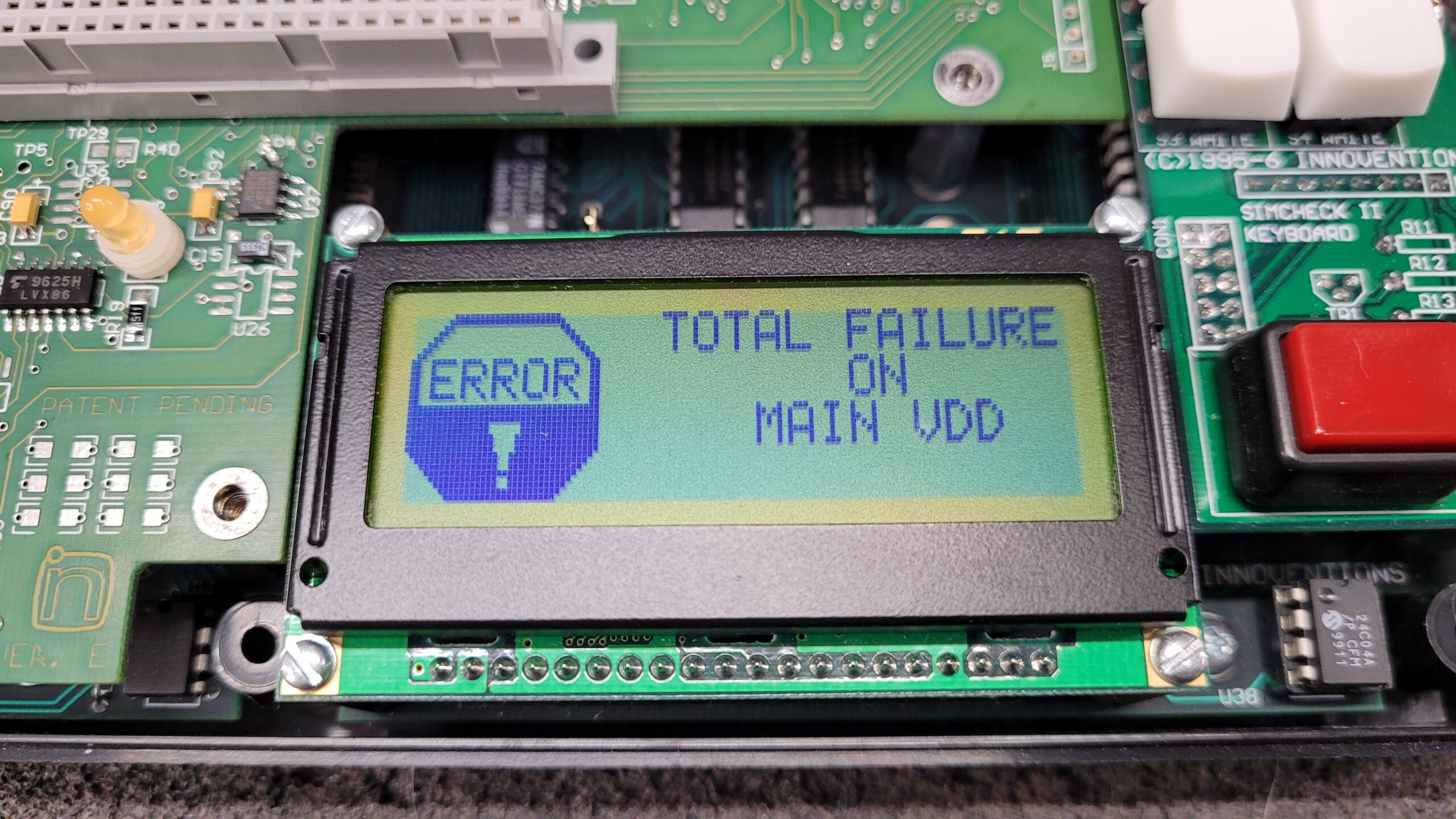
On My other Ram check I Removed the PAL chip at U17 this pal chip regulates the Main VDD to the memory and maybe other parts without it will error TOTAL FAILURE ON MAIN VDD.
I attempted a pal brute force method to recover and back up the pal code.
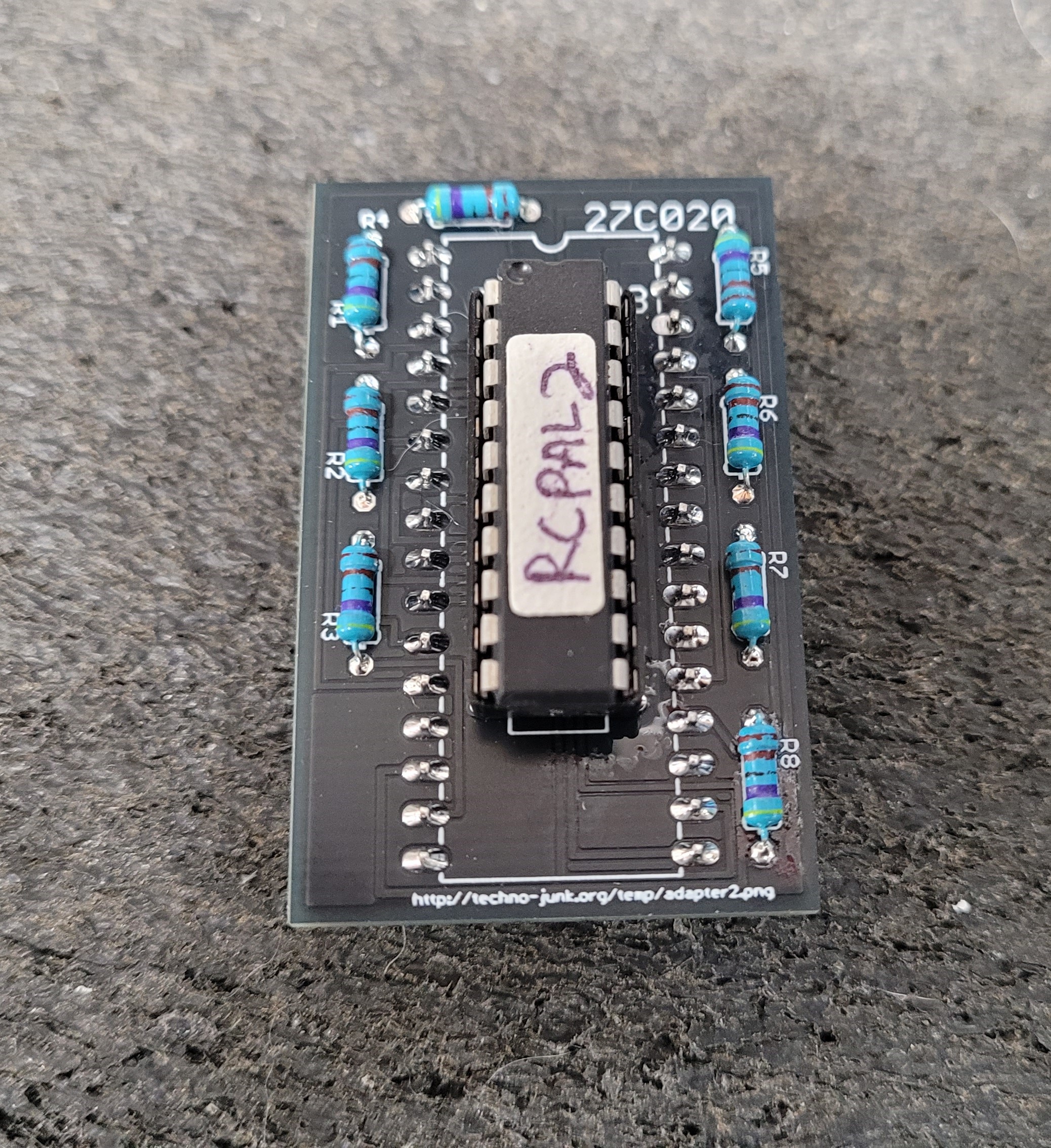
I read it in the Xeltek 6100N and the BPM Microsystems 1710 both Returned the Same Checksum.
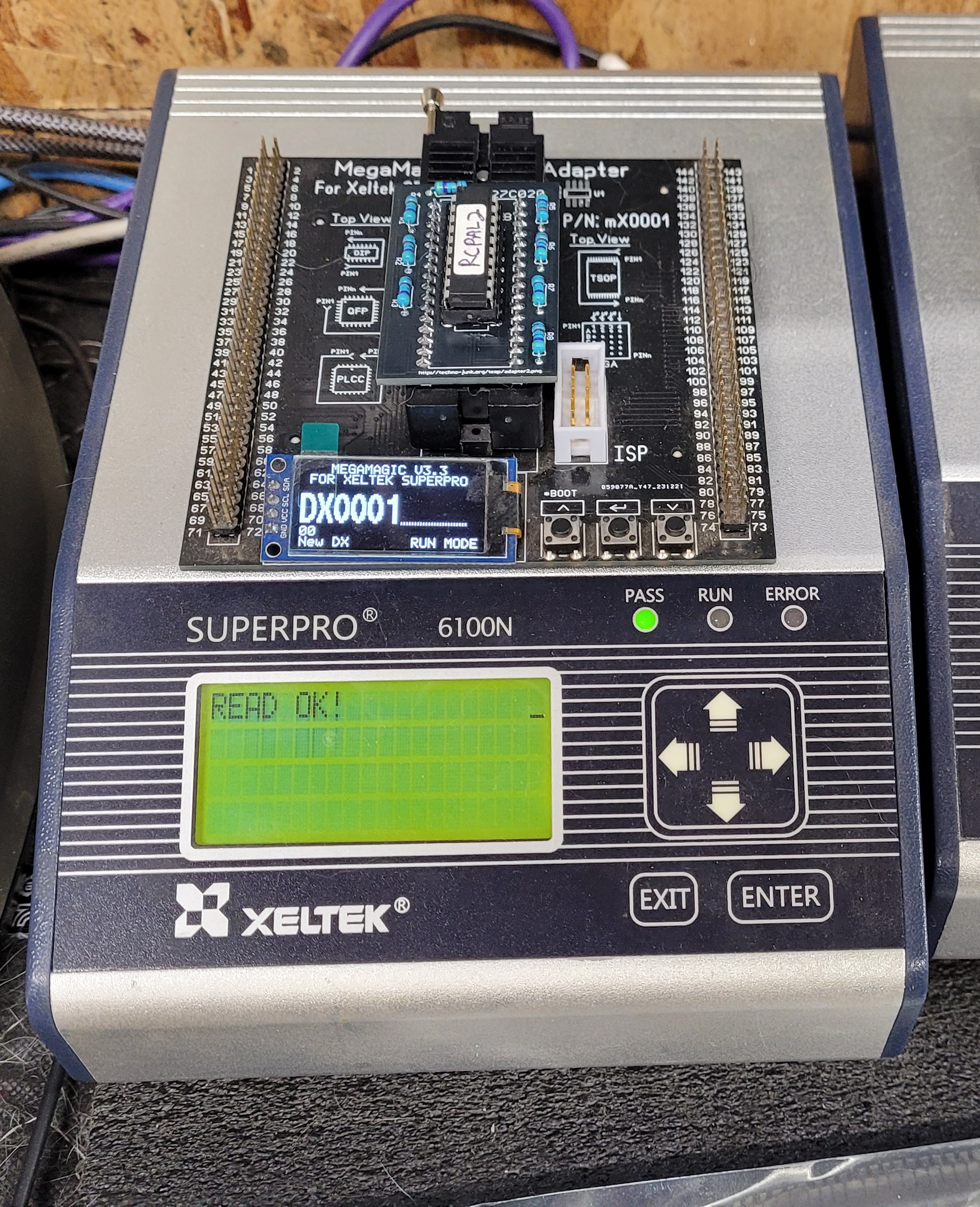
Here are the RAMCHECK RCPAL2 PAL18CV8P DUMPER Reads I did Both with the 6100 and the 1710
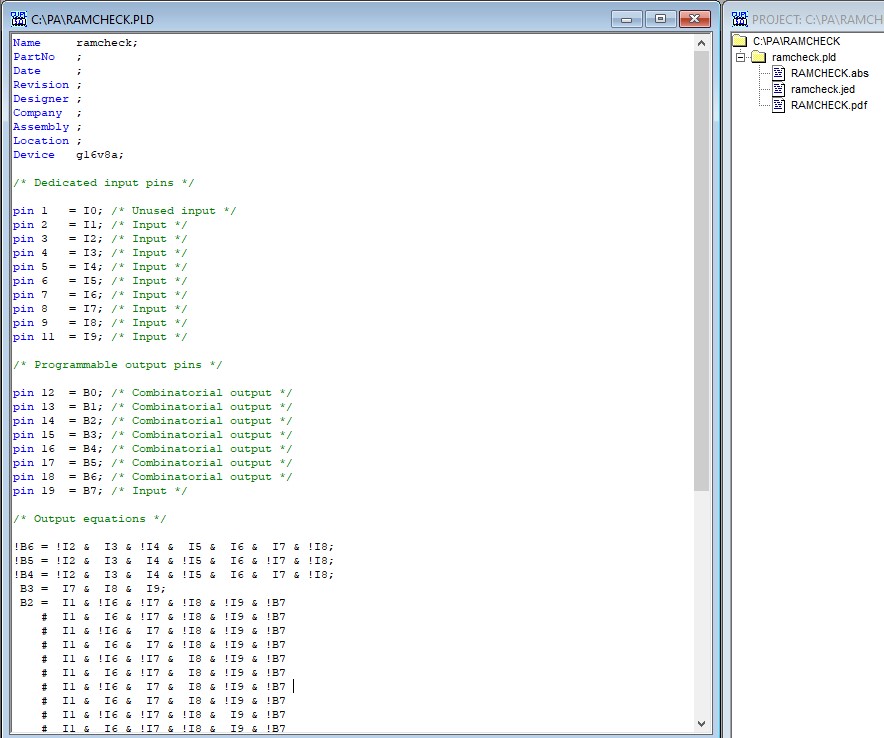
Using compilers is not something that I normally do and I followed the instruction at Solid-Orange.
I tried to do the analyzing and compile it said it was successful but it failed to function properly when programmed and installed Most likely I probably did something wrong in the analyzing software.
The Next step is to try and read it on my Xeltek Superpro 3000 a known supported programmer. The site says the BPM-1400 is supported so the BPM-1710 should be as well. May revisit this later.
The CPU TX486DLC E – 40GA

CPLD EPM7032SLC44-7 (09-30-2026 Device is Locked)

Flash Memory 39SF020A V2.30 (Firmware Backups are Below)

SRam W24257AK-15

More at a Later Date…
Innoventions RamCheck INN-8668 Firmware Archive. If Anyone Has Other Versions Please Send Them to ramcheck @ rhine-labs . com So they Can be Archived. If You are unable to back them up yourself I am willing to do it for you just need to have physical access to the device. Last Firmware Version was Version 2.68.
V2.06 | V2.12E | V2.30 | V2.35 | V2.40
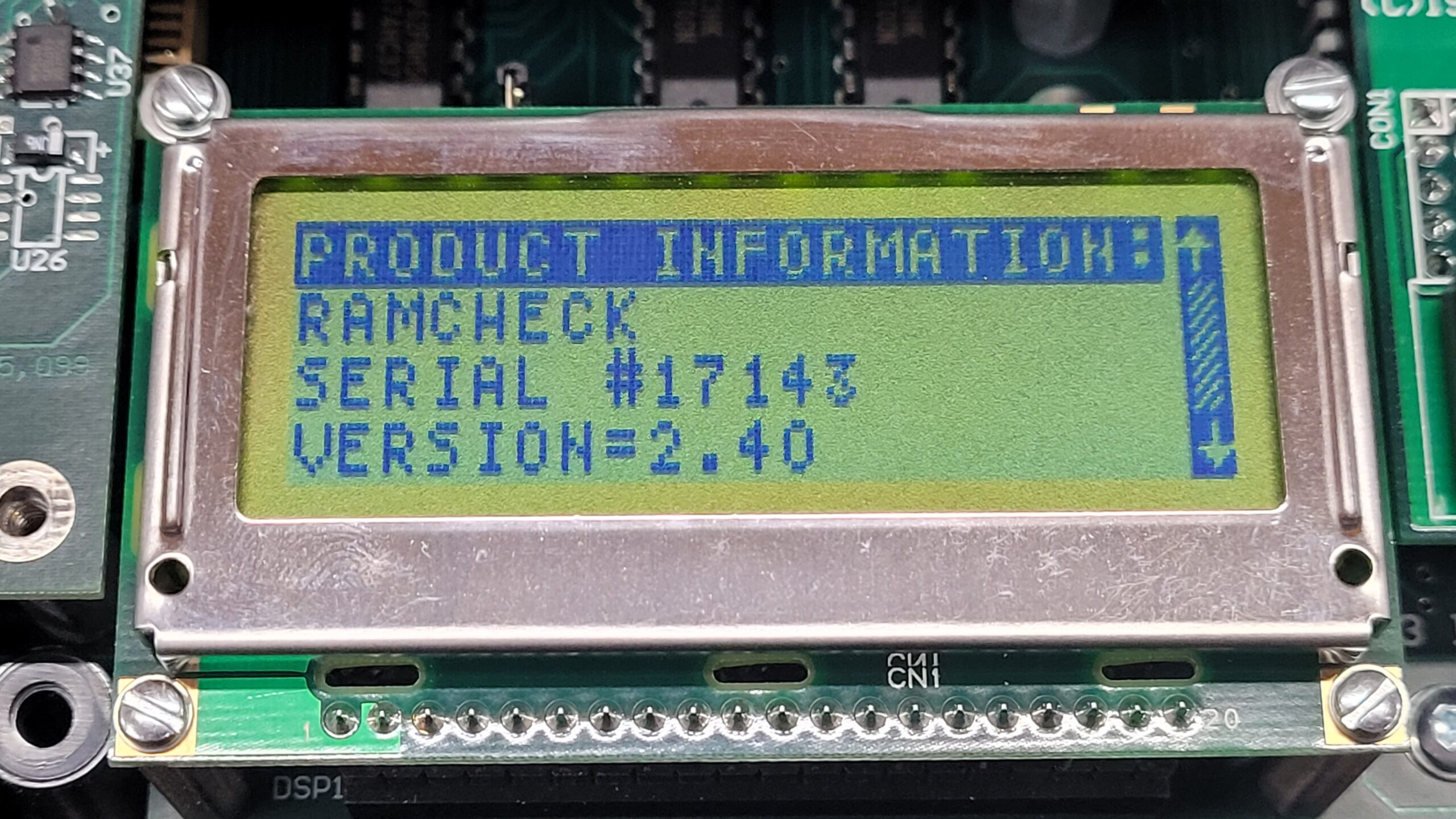
I Have Verified That V2.40 Is Working.
This Was Expensive So If this Site Helps You, If You Like What You See, and/or You Just Want to Support My Blog Please Donate via Cash App $slrhine, or Amazon Wish List Gift
Eeprom Backups.
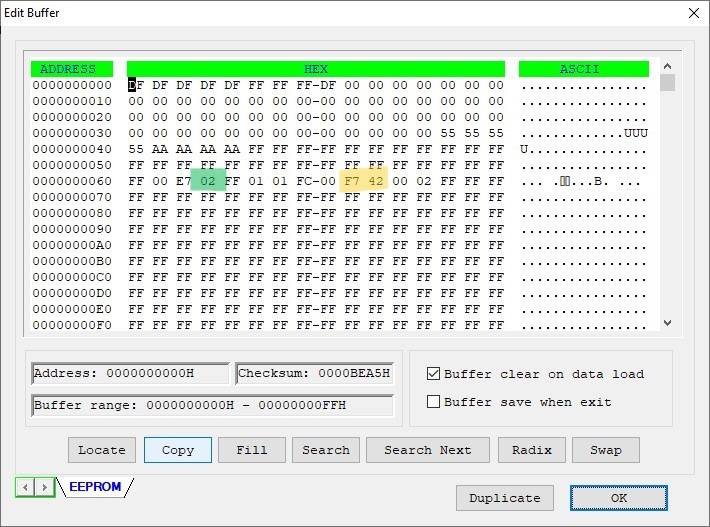
V2.30 U38 Eeprom 24LC08 I believe this is the calibration setting and it also stores the units serial number as well this file is SN 17143
Some Eeprom analysis address 0x63 Is Option Byte 02 (Green) Matches V2.30 Firmware | Serial Number is 0x69–0x6A – F7 42 (Yellow) = 17143
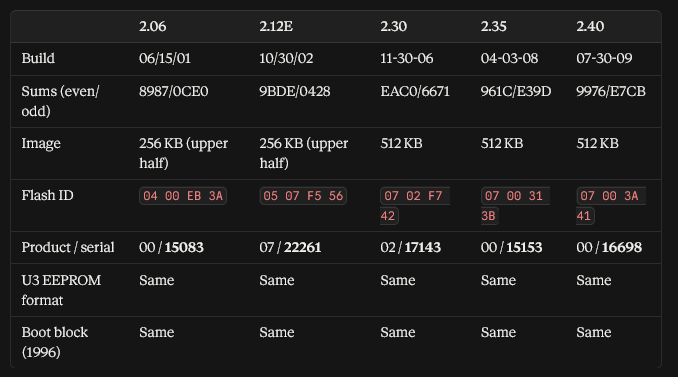
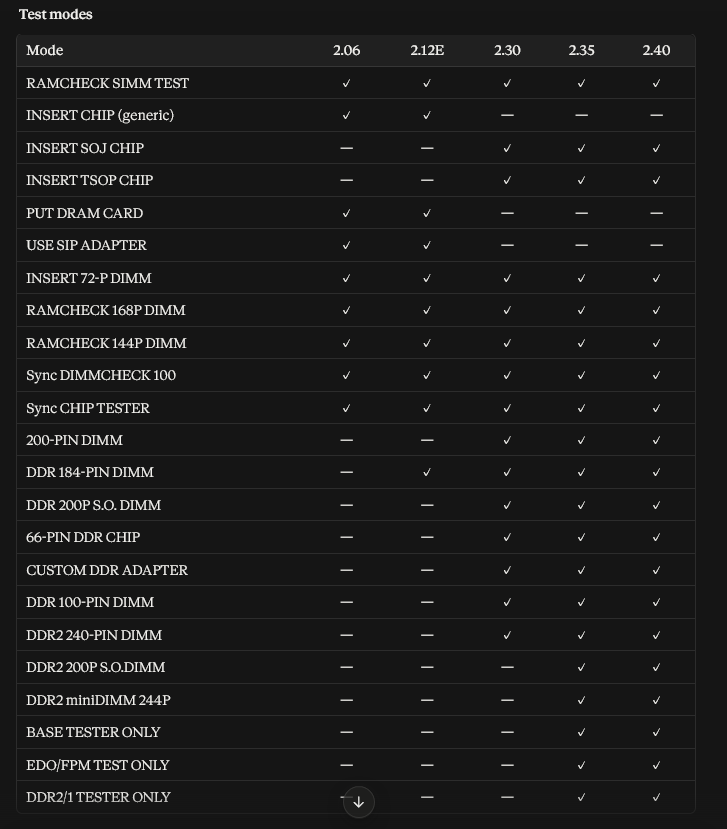
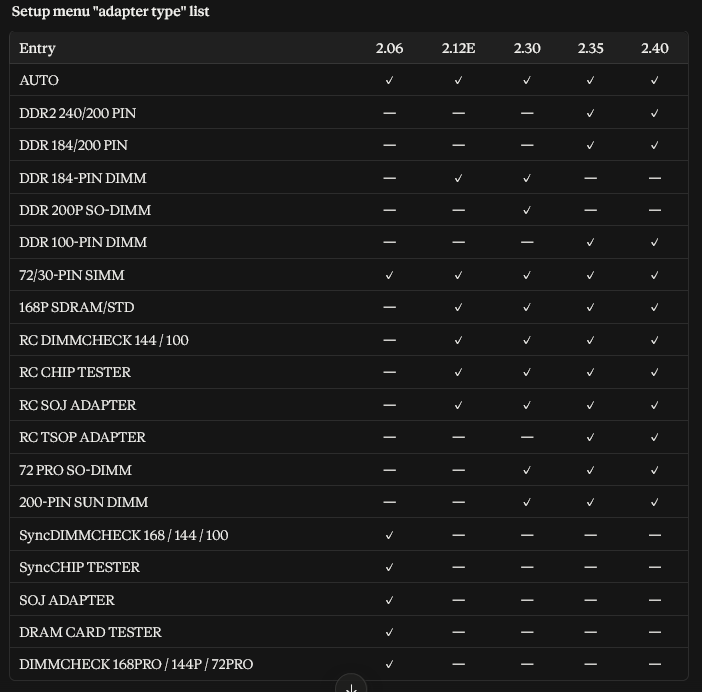
An Analysis of the Firmware Progression
- 2.06 → 2.12E: added DDR1 184-pin, the first DDR support.
- 2.12E → 2.30: added DDR SO-DIMM, DDR 100-pin, 66-pin DDR chip, DDR2 240-pin, split SOJ/TSOP, and adapter naming.
- 2.30 → 2.35: added DDR2 SO-DIMM and miniDIMM, the TSOP setup entry, and the “tester only” modes.
- 2.35 → 2.40: no adapter changes. It adds multi-burst test controls, editable auto-loop, DDR2 rank detection, array/structure test modes and debug error-injection.
The Ramcheks Serial Number Is Also In the Firmware “This may be Tied to the Serial Number in the Pal or Logic Chip and eeprom on the Main Board” So ya may need to change it in the firmware to match your unit.
09-30-2026 I have also Confirmed the Editing the Serial number in the firmware lets your device display the correct serial number.
Test Modes Between the Versions..
Identifiable Compatible Test Adapters
Archive Of RamCheck PC Communications Software V2.14 16 Bit is supported on WIN95/98/ME/2000/NT/XP 32-bit
Archive Of RamCheck PC Communications Software V2.17 16 Bit is supported on WIN95/98/ME/2000/NT/XP 32-bit
Some Links
LinuxJedi
Meet the Ram Check : Upgrading the Ramcheck
Adrian’s Digital Basement Info on the Ram Check
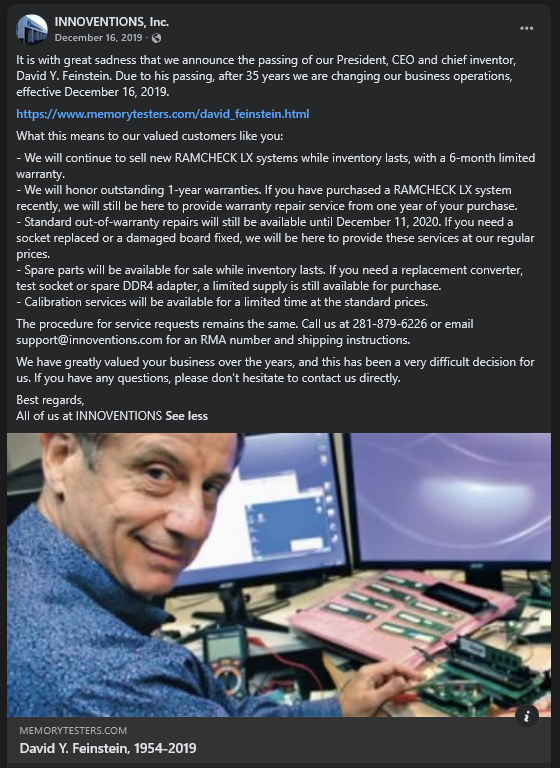
Really Sad that when small business owners pass away their legacy of a great product disappears and the products become orphans may we venture to keep these wonderful products operational.
President and CEO INNOVENTIONS David H Feinstein 1954-2019

This Was Expensive So If this Site Helps You, If You Like What You See, and/or You Just Want to Support My Blog Please Donate via Cash App $slrhine, or Amazon Wish List Gift
Last Updated on October 25, 2026 by Steven Rhine
[…] Dont Forget to See My RamCheck Teardown, Firmware and Software Archive […]